
Annotate Smarter, Not Harder
Professional audio & text annotation software designed for researchers, linguists, and audio engineers.
Multi-Layer Annotation
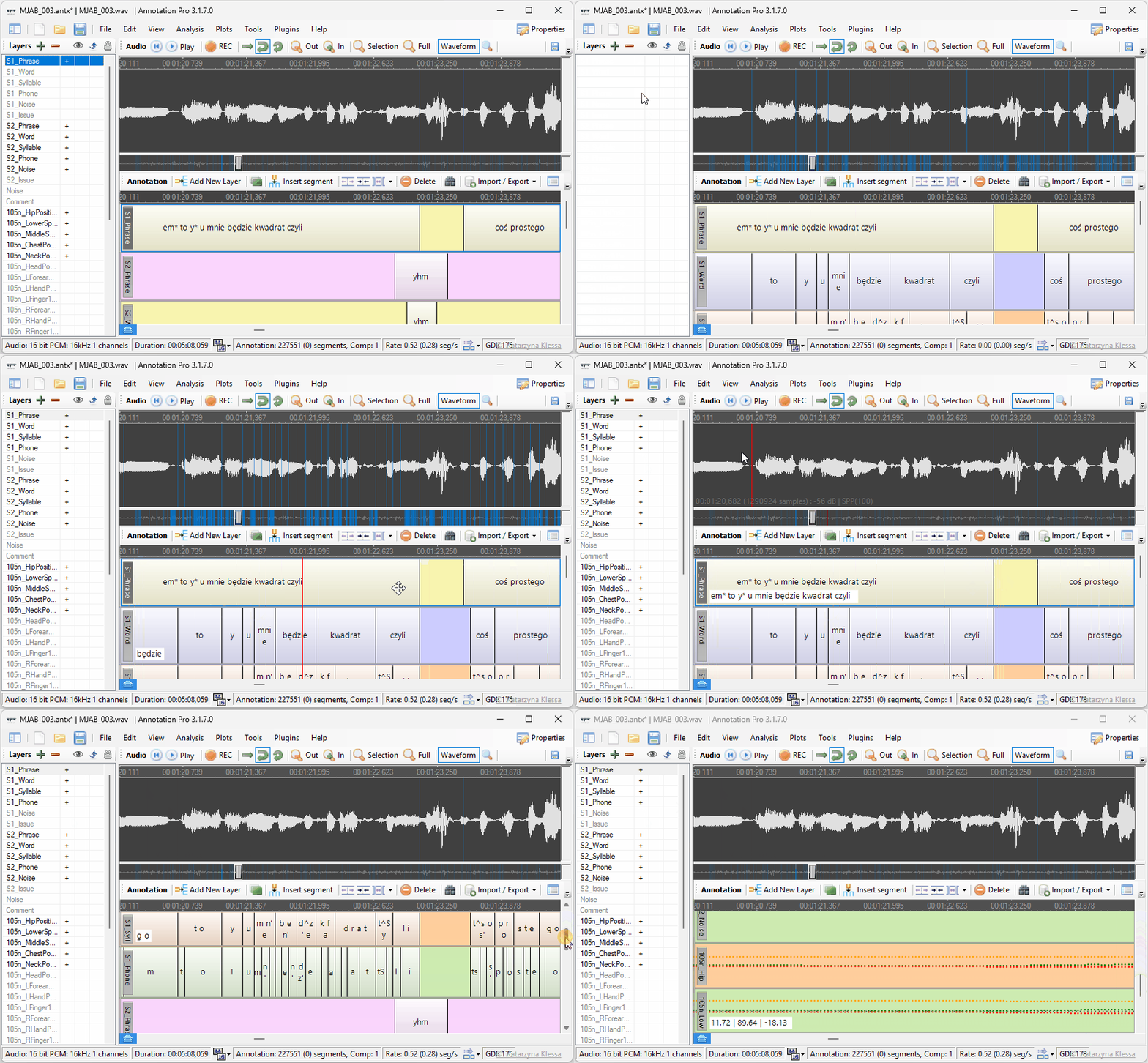
Combine multiple perspectives in one view Create unlimited annotation layers to capture different levels of analysis — phonetic, prosodic, syntactic, emotional — all time-aligned and color-coded. No more juggling separate files for separate insights.
Precision Audio Playback
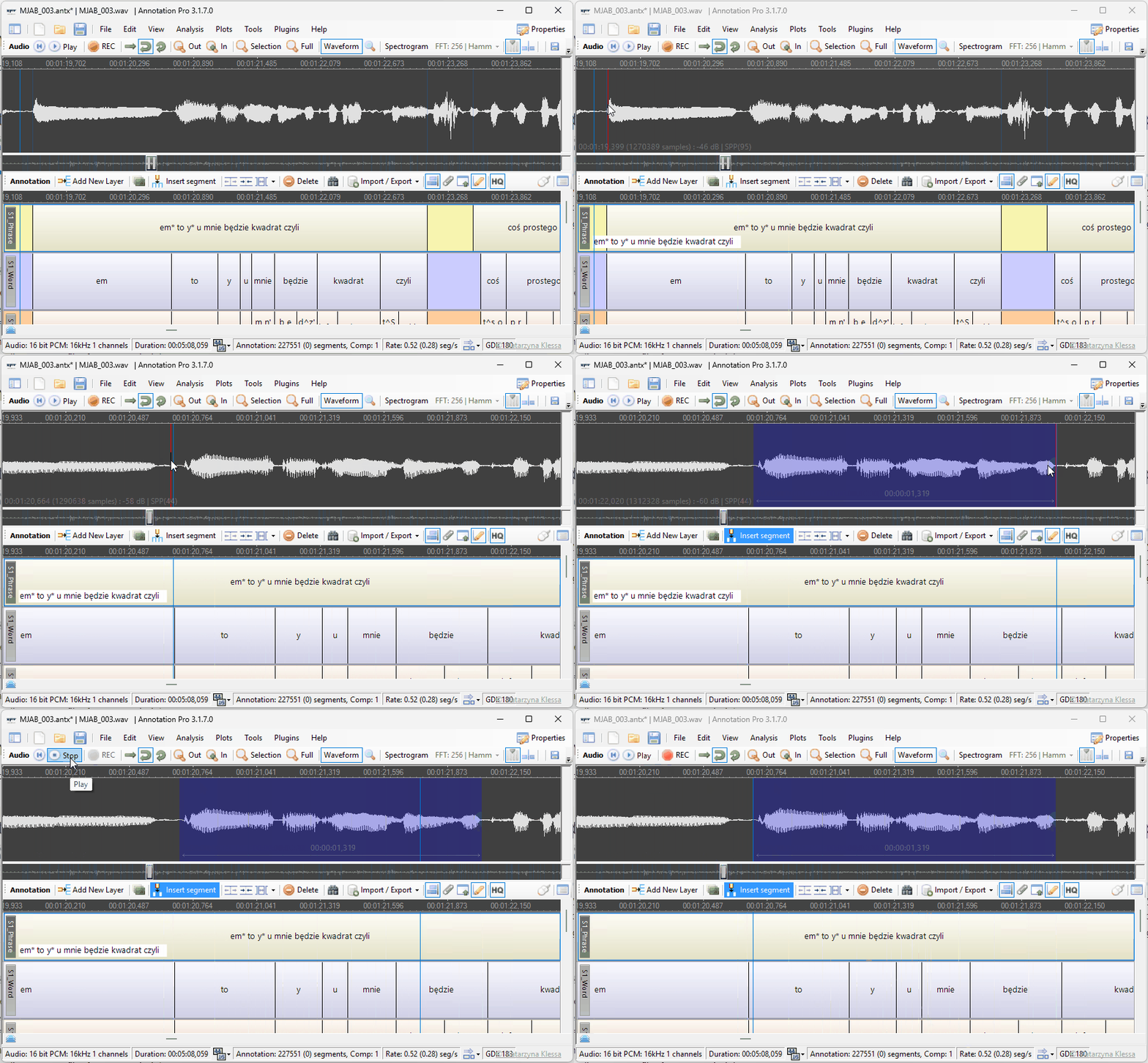
Hear exactly what you need, when you need it Select any fragment of a recording with a single click-and-drag, play it back instantly, loop it, and see its exact duration. Stop wasting time scrubbing through long audio files to find the right moment.
Waveform & Spectrogram
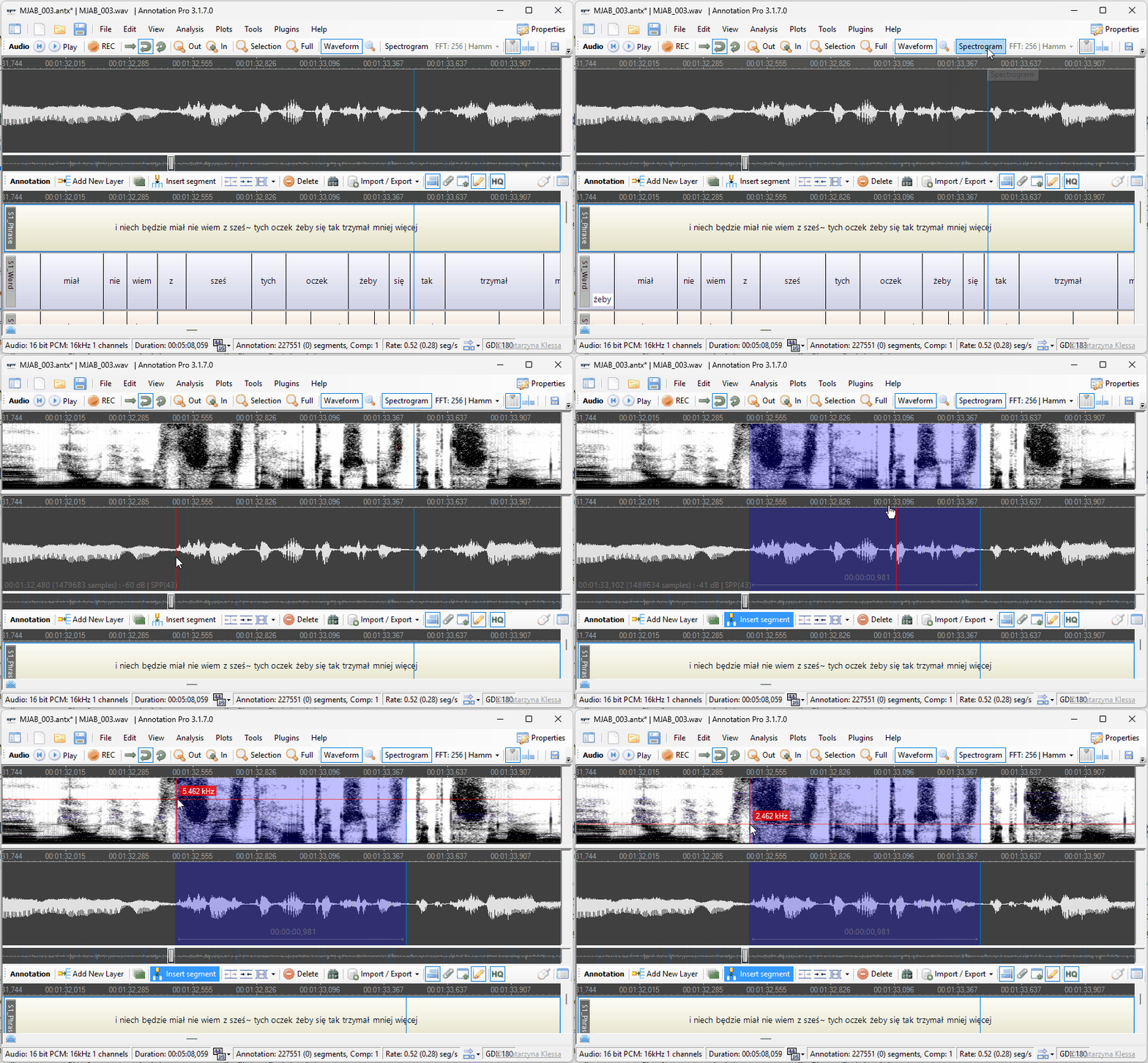
See sound in detail Toggle between waveform and spectrogram views to visually inspect audio with precision. Overlay segment boundaries on the spectrogram for accurate alignment between what you hear and what you see.
Graphical Feature Space
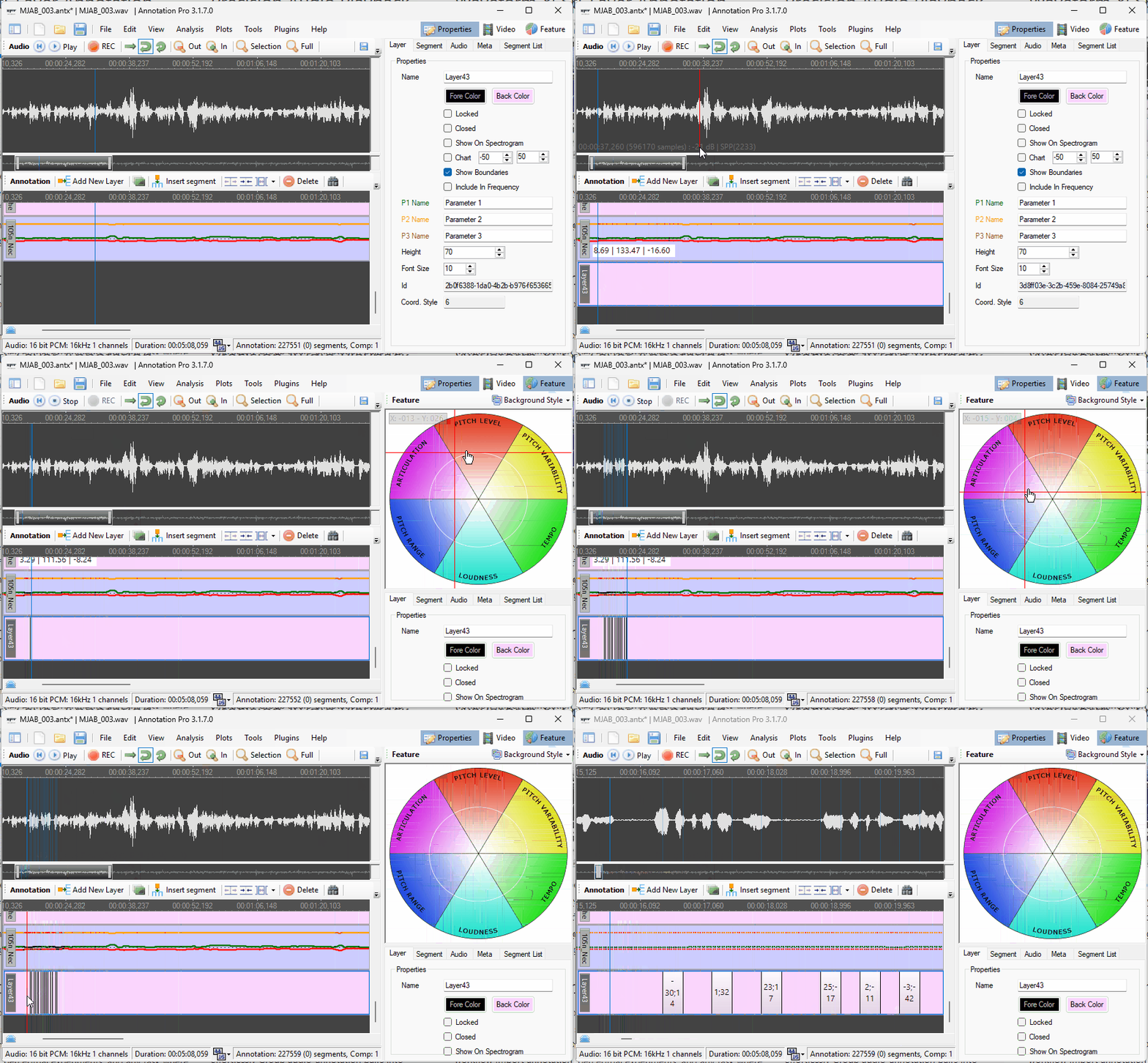
Go beyond categories — annotate on continuous scales Use a visual coordinate-based tool to annotate with continuous rating scales — ideal for emotion analysis, perceptual experiments, and any task where simple labels aren’t enough.
File Management
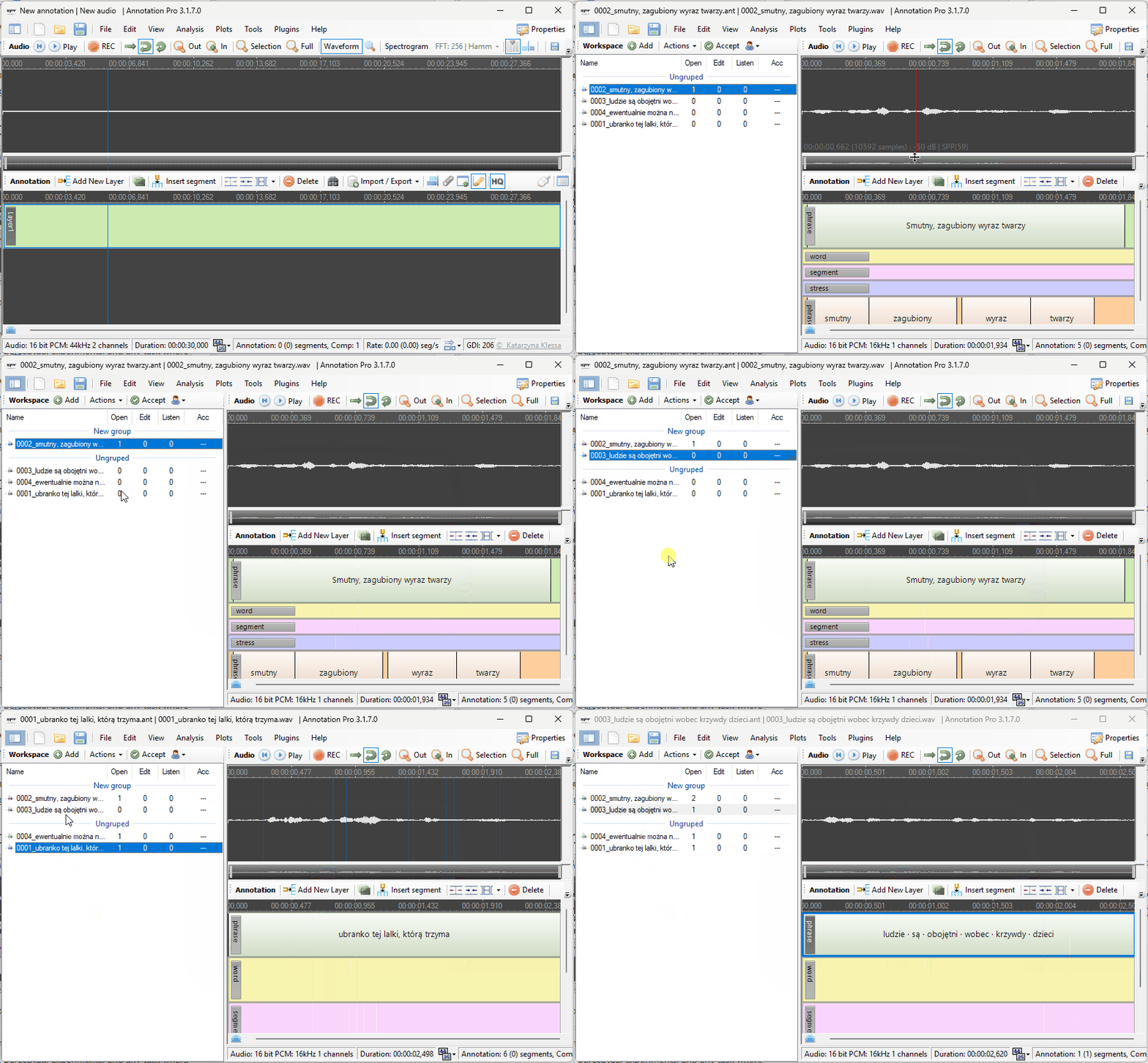
Organize entire annotation projects effortlessly Group audio-annotation pairs into Workspaces, navigate between files instantly, and track editing history, playback counts, and review status. Never lose track of your data again.
Spreadsheet Import/Export
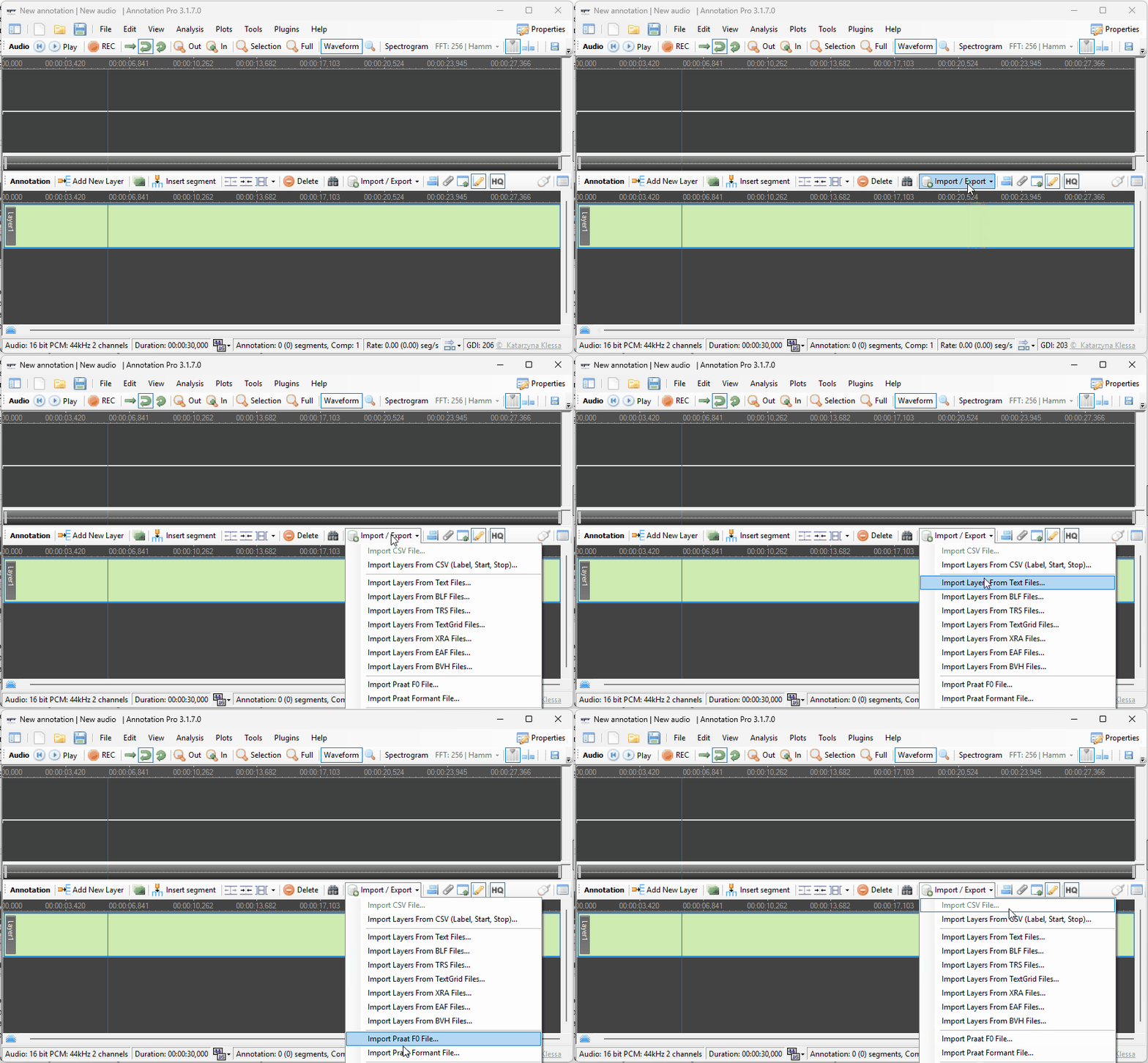
Seamless integration with your existing workflow Import annotation data from CSV or spreadsheets, and export layers with rich metadata (durations, sample positions) directly to Excel or OpenOffice. Your data flows freely in and out.
Text File Import
Quickly bootstrap annotations from transcripts Import plain text files and automatically generate time-aligned segments from each line. Turn a raw transcript into a structured annotation layer in seconds.
Perceptual Test Design
Run listening experiments without extra tools Design and conduct perception tests directly in the app — control anonymity, limit playback repetitions, restrict editing, and choose which layers participants can access.
Flexible Segment Editing
Full control over every annotation unit Add, resize, move, duplicate, and delete segments with keyboard shortcuts and mouse gestures. Undo any change with Ctrl+Z. Work as fast as you think.
Drag-and-Drop Layer
Customize your view in an instant Reorder layers by dragging, resize them by pulling borders, hide them with a double-click. Your workspace adapts to your task, not the other way around.
Annotation Format (.ant)
Save and resume your work anytime Save your entire annotation state — layers, segments, labels — in a single file and pick up right where you left off. Share .ant files with colleagues for seamless collaboration.
Zoom & Navigation
Focus on what matters Scroll to zoom into any point of the recording, jump to selections instantly, and navigate long audio files without losing context. Detailed analysis at any scale, from milliseconds to minutes.